
The Small Tab Moves First
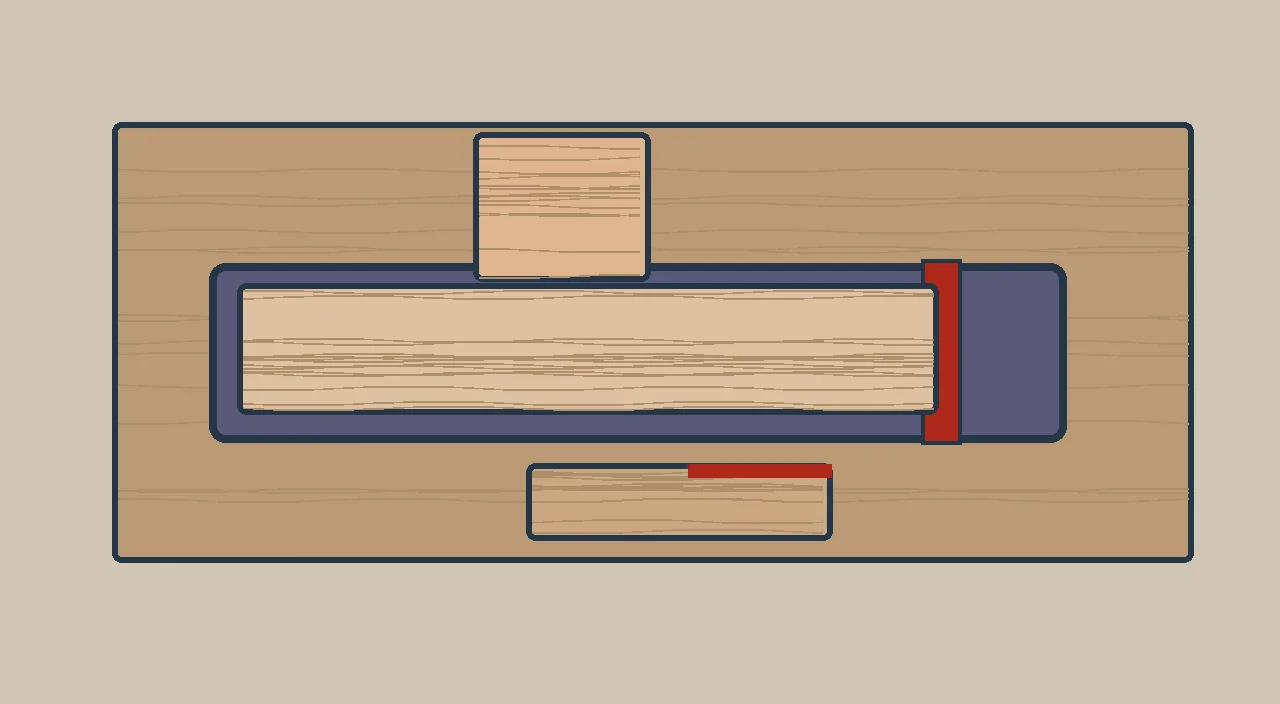
The small tab has receded into the upper sash. The gauge already states that the virtual room is drier. The handle stays set. Someone looking at the top of the picture might think the gate is now ready to slide. The larger tongue under the handle still has a move to make. In the first trial both pieces stood out against the blue wall, but the caption used the same general word for their response. Separate labels make an intermediate state understandable.
Start with both pieces in their previous places
The play sketch keeps one initial condition. It presents the first change to the air as a virtual step. The small tab reaches its updated position there. The thicker tongue remains in the older one. When the user advances, the tongue reaches its next state. Record each as part of the phase, with a showable reason the sash remained held through the earlier step. A thin outline for the small part can indicate its updated shape before the heavier piece has moved.
The sash accepts an action only when both conditions reach the necessary positions. Let the player look at those positions without finishing the whole path automatically. A small label reading ready should appear on the action only after both have resolved. If the game gives them a chance to change the virtual setting between steps, preserve the older response and see what happened to each mechanical part. A persistent gauge label helps connect those results with one chosen input.
The timing line isn’t a weather measurement
Here a turn is an explicit action in a puzzle. It describes when a virtual part is updated by the simulation. Its exact spacing can change during development. Write clear state names and use the same scope in the article and panorama. A note about the larger tongue can mention its later state without implying that all thick wood behaves this way. The real setting of an ordinary workshop doesn’t matter to the case. The two objects have separate programmed response rates that can be examined at the recorded moment.
Give the illustration room for both side views. Near the top, leave a pale border around the smaller tab. In the lower panel draw the supported edge of the tongue. An outlined band can describe its previous size if another view already removed it. The reader can then find it in an older picture and check what the later action was meant to unlock. That comparison is independent of the timing shown on the article date.
Show the state once without animation
Ask a reader what the next move is after the top piece shifts. Present a still of both pieces with the virtual gauge under the same label. If they only name the gauge, call attention to the unresolved larger tongue. Then open the second frame and see if the status explains why the action became available. Try the same thing from a phone where the tab and tongue are on separate rows. Keep the main sash result above both. If it falls between the two captions, a person may think it refers just to the nearest one.
Another check changes direction after the tab has moved. The virtual humidity returns to its earlier state while the tongue still has not completed its response. Keep the two states and the held action in one record. A future study can let the user compare both outcomes without repainting the whole room. That requires a reliable name for each recorded object. A date or frame title can help retrieve an older example when the prototype changes.
Open Delayed Latch for the complete virtual sash path. The Stop Is in the Same Place isolates an object that remains fixed while a neighboring part changes. In this two-piece study both can change, but they do it at different steps. That difference has to survive in the report even after the complete drawing shows the sash open and the old positions have left the live view.